2026 Releases
Release 26.9.1
September 28, 2026
External Segments API
Users can now manage External Segment details and memberships via API, instead of through offline data imports. This allows for instant updates to segment memberships, as users are known to have entered or exited a certain segment, improving targeting in the Ad Server side.
Head over to the Segment Manager API documentation to learn more about the new endpoints and how to use them.
Anonymous User IDs
Audience now supports the special user ID anonymous for events, orders, and other data when no user identifier is available. This allows guest checkouts, cash purchases, and other anonymous transactions to remain part of sales and performance reporting.
Audience accepts anonymous with any user ID type. Anonymous orders appear in order-level and aggregate reporting, but the data is not connected to a user profile and does not affect user attributes, segments or activations.
See the anonymous user ID documentation for general guidance and the Orders import documentation for order-specific details.
All Changes
Click here for the complete list of changes
Added
- API for managing external segments with instant activation to Kevel Ad Server.
- Support the special user ID
anonymousin event tracking and imports without creating or changing a user profile.
Release 26.8.1
August 17, 2026
New TikTok Destination
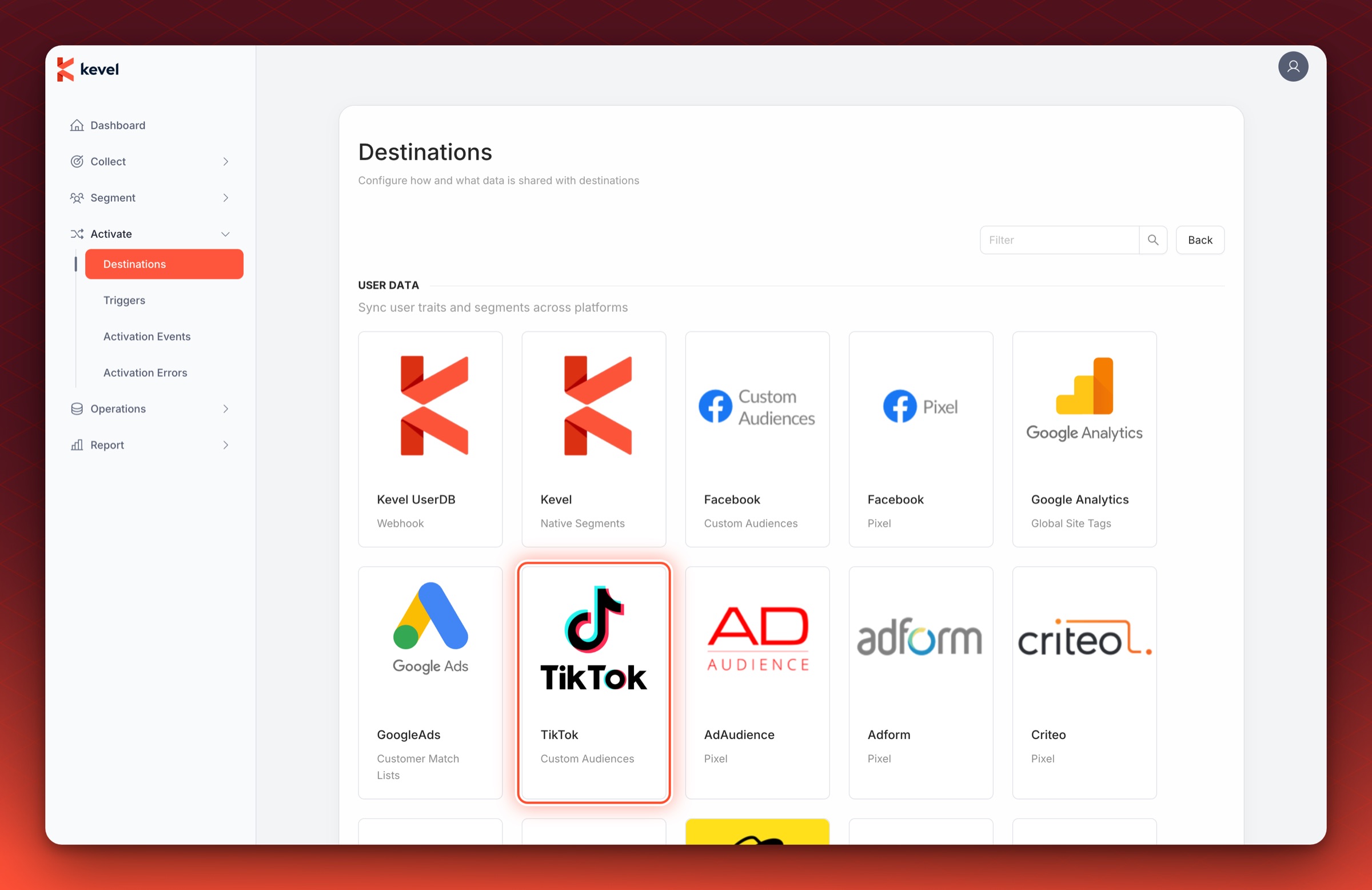
Kevel Audience can now export audience segments to TikTok! Jump into the TikTok Custom Audiences entry in the destination list, and start sending your segments to TikTok for ad targeting in real time.
All Changes
Click here for the complete list of changes
Added
- New TikTok destination for exporting audience segments to TikTok Custom Audiences.
- Added an optional
siteIdcolumn to the Kevel Audience order import CSV, so offline orders can be associated with a specific site.
Changed
- Introduced a retention policy for the file uploads bucket, so that files are deleted after 2 years.
Release 26.8.0
August 5, 2026
All Changes
Click here for the complete list of changes
Fixed
- Fixed being unable to save a Facebook Custom Audiences destination when connecting the Facebook account was the only change made.
Release 26.7.1
July 20, 2026
This release fixes several issues affecting offline imports.
All Changes
Click here for the complete list of changes
Fixed
- Improved the reliability and performance of offline imports that contain a large number of files.
- Fixed import progress reporting a negative amount of processed data on very large imports.
- Fixed suspended-and-resumed imports showing an incorrect original start time and progress.
Release 26.7.0
July 6, 2026
A/B Testing Experiment Limit
The number of A/B testing experiments that can run at the same time is now capped, with a default limit of 30. Once the limit is reached, creating a new experiment is rejected until a running experiment is ended or deleted. Experiments that have already finished do not count toward the limit.
Order Import Warnings
Two new warnings are now surfaced after order imports — on both dry runs and real imports — to help diagnose data quality issues before they affect user profiles and downstream attribution.
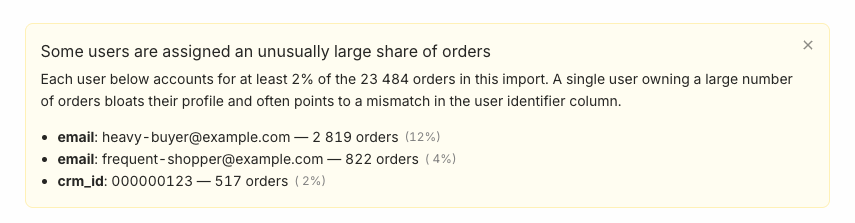
Heavy users: When a single user ID accounts for an unusually large share of orders in a file (≥2% of total orders), the import result lists those users as a warning. A disproportionate concentration of orders on one user often signals a mismatch in the user-identifier column — for example, a shared or placeholder value being used instead of a unique per-user identifier.
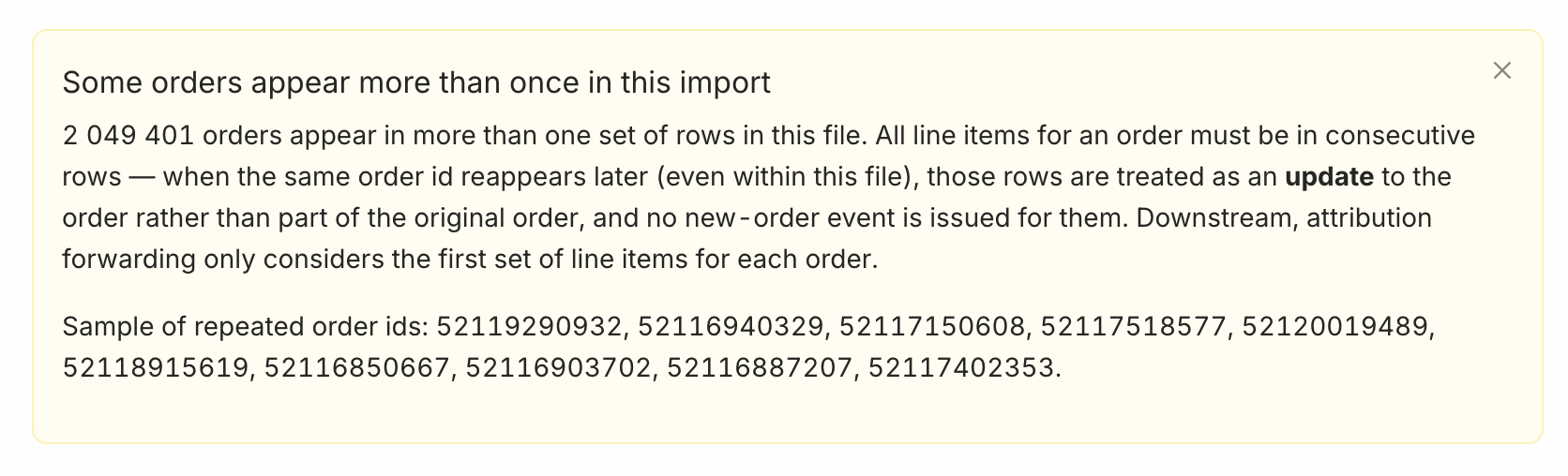
Repeated order IDs: When the same order ID appears in non-consecutive rows, the later rows are treated as an update to the already-closed order rather than part of the original order. This matters for attribution: only the first group of line items for an order is considered for attribution forwarding. When this affects ≥2% of the import's orders, a warning is shown with example order IDs.
See the Orders import documentation for details.
All Changes
Click here for the complete list of changes
Added
- Add a limit on the number of A/B testing experiments that can run concurrently.
- Show a warning when a user is assigned an unusually large share of orders in an import.
- Show a warning when the same order ID appears more than once in an import.
Release 26.6.1
June 22, 2026
Segment Imports
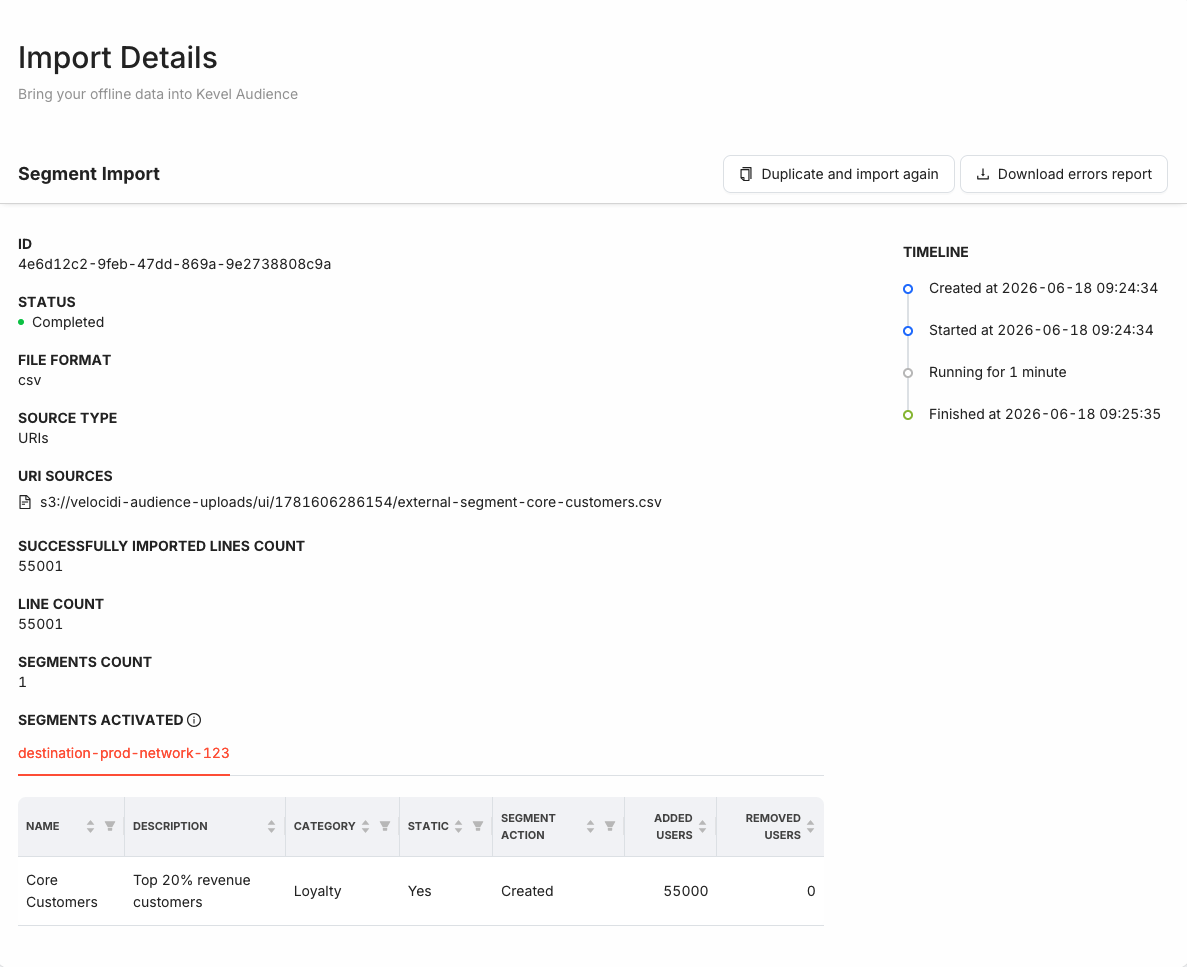
Audience now supports importing user segments directly from a file. Teams that maintain their audiences in a CDP, data warehouse, or other internal system can upload the resulting membership as a CSV and activate it in the Kevel Ad Server, without rebuilding the segmentation logic in Audience. Each file holds the complete membership of a segment, and every import fully replaces it, so imported segments stay in sync with their source — uploaded on demand, on a schedule, or whenever a new file is detected.
To set it up, create a new import and select the External segments type.
For full details, see the Segment imports documentation.
All Changes
Click here for the complete list of changes
Added
- Support importing user segments from files.
Release 26.5.1
May 25, 2026
Native Static Segments
Static segments are now out of beta, and can also be used in the Kevel Native Segments destination. Marking a segment as static means it will be sent directly to Forecast and immediately made available for predictions upon activation to UserDB.
Refer to the Kevel destinations documentation for further details.
All Changes
Click here for the complete list of changes
Added
- Stabilize static segments and make them available in the Kevel Native Segments destination.
Release 26.3.2
March 30, 2026
File Detection Imports
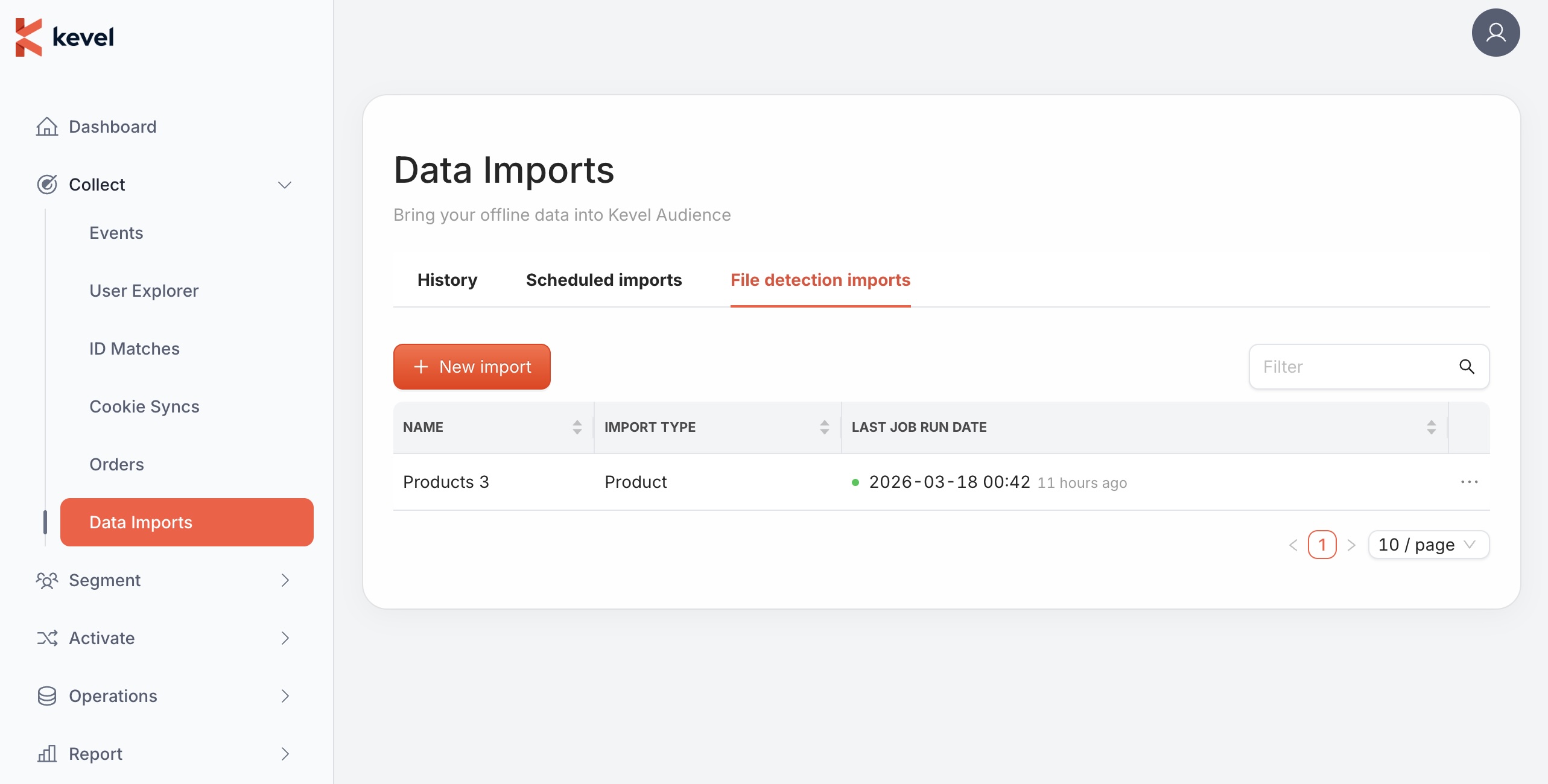
When users upload files to their own S3 bucket or SFTP server, imports no longer need to wait for the next scheduled run. Audience can now detect when a new file is available and trigger the import immediately, reducing the delay between a file being uploaded and its data being available in the system.
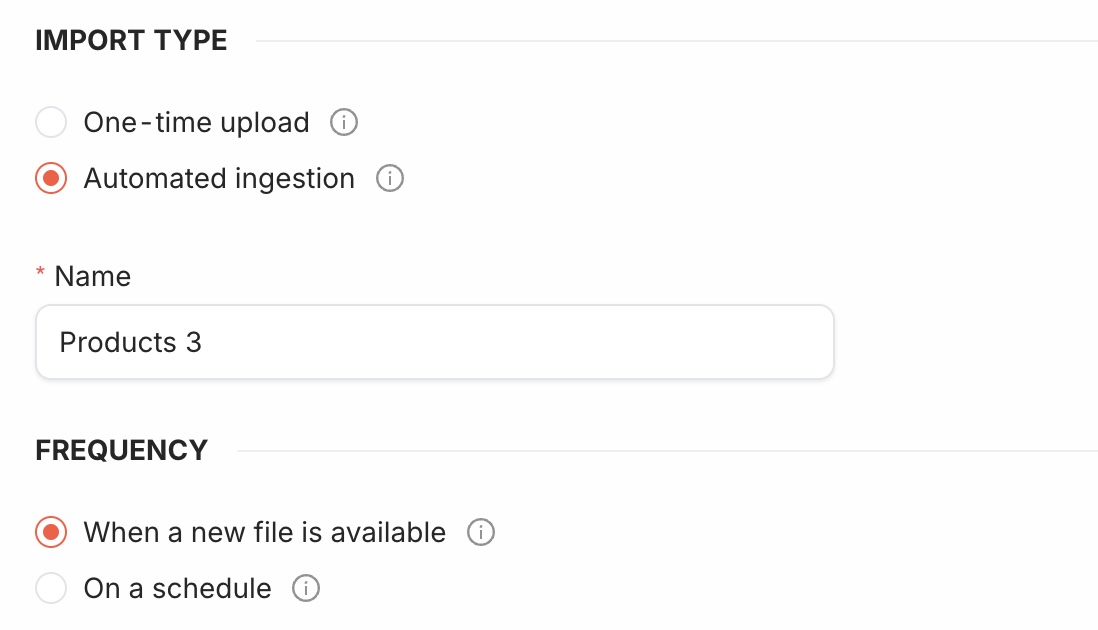
To set it up, create a new import, select the type "Automated ingestion" and set the frequency to "When a new file is available".
For full details, see the Import Guide.
All Changes
Click here for the complete list of changes
Added
- Support file detection imports.
Release 26.1.1
January 19, 2026
HTTP to HTTPS Redirection
To improve security and ensure data integrity, all HTTP interfaces are now automatically redirected to their safer counterpart HTTPS. This applies to all API endpoints and web interfaces. Existing HTTP clients should follow the redirect to the secure endpoint.
All Changes
Click here for the complete list of changes
Changed
- Public HTTP interfaces are now redirected to HTTPS.